
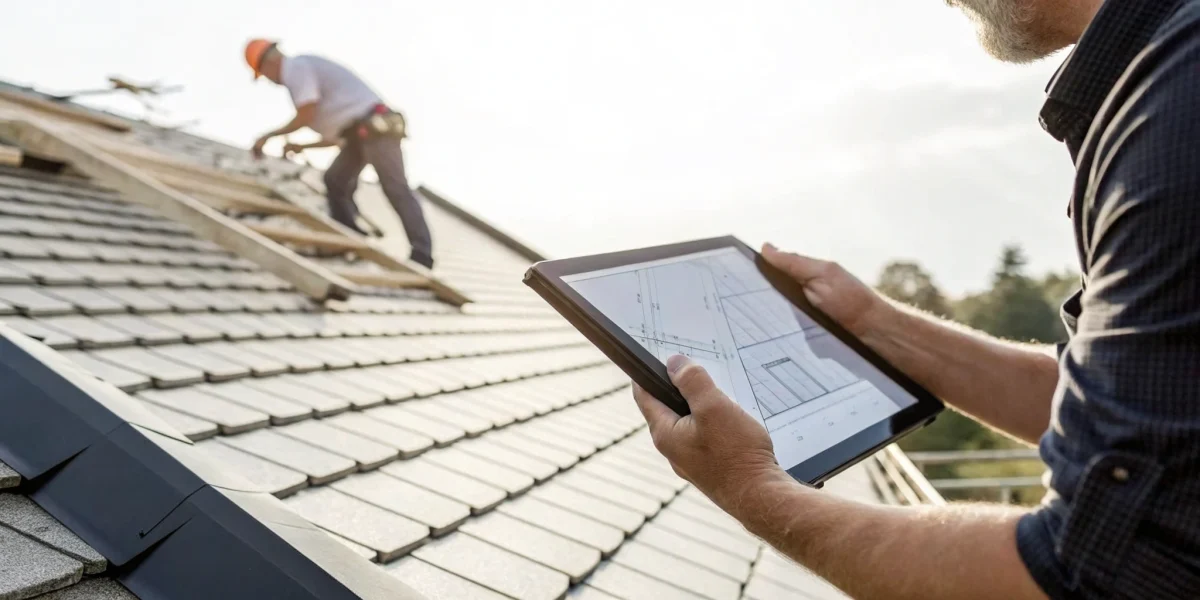
Juggling a clipboard, a camera, and a pen while you’re on a steep roof is not just clumsy—it’s inefficient. For years, paper checklists were the standard, but they slow you down and can make your final reports look dated. In a competitive market, your professionalism is everything. The way you present your findings to homeowners, real estate agents, or insurance adjusters directly reflects the quality of your work. This is where a dedicated roof inspection app changes the game. It’s time to ditch the paper and find a tool that streamlines your entire process, from data collection to report generation. If you’re ready to download roof inspection checklist app software that makes you look as professional as you are, this guide will show you exactly what features to look for.
Key Takeaways
- Insist on the Essentials: A great app is built on a foundation of key features. Make sure any software you consider has offline access, customizable checklists, and professional report generation—these are the tools that will actually save you time in the field.
- Define Your Needs Before You Demo: Avoid getting distracted by flashy features by first creating a checklist of what your business truly requires. Consider your team size, typical job types, and client reporting needs to find a tool that fits your specific workflow.
- Look Beyond the Price Tag for True Value: Use free trials and user reviews to test an app’s real-world performance before you buy. You can often find the best deal by exploring association discounts or software bundles, ensuring you get a powerful tool that fits your budget.
Key Features Every Roof Inspection App Needs
Switching from a clipboard to a digital app is a big step, and you want to make sure the software you choose actually makes your job easier. While there are dozens of options out there, the best ones share a few core features that are absolutely essential for any serious roofing professional. Think of these as the non-negotiables. A good app doesn’t just digitize your paper checklist; it streamlines your entire workflow, from the moment you step onto the property to when you send the final report to your client.
The right tool helps you conduct more thorough inspections, document your findings with precision, and present yourself as the credible expert you are. For professionals who serve homeowners, real estate agents, or insurance companies, a polished and detailed report can make all the difference. It builds trust and clearly communicates the condition of the roof, which is exactly what your clients are paying for. Before you even look at pricing or user reviews, make sure any app you’re considering has these fundamental features built in. They are the foundation of an efficient and professional inspection process.
Offline Access and Data Sync
You can’t always count on a strong internet connection, especially when you’re working in a remote area or a new construction site. That’s why offline access is a must-have feature. A solid roof inspection app allows you to complete your entire checklist, take photos, and write notes without needing Wi-Fi or cellular data. You can work uninterrupted, knowing your data is being saved securely on your device.
Once you’re back online, the app should automatically sync everything to the cloud. This ensures that your work is backed up and accessible from your office computer or other devices. This seamless process prevents data loss and saves you the headache of re-entering information, letting you move on to the next job with confidence.
Customizable Checklists
Every roofing business has its own unique process, and a one-size-fits-all checklist rarely works. The ability to customize your inspection forms is crucial for efficiency and accuracy. Look for an app that lets you create your own templates from scratch or modify existing ones. You should be able to add, remove, or reorder items to fit the specific type of roof you’re inspecting, whether it’s for a residential home, a commercial building, or a specialized assessment like a California SB 721 inspection. This flexibility allows you to replace outdated paper forms and tailor your workflow to your exact business needs, making your inspections faster and more thorough.
Professional Report Generation
Your inspection report is the final product you deliver to your client, and it needs to look professional. A top-tier app will automatically compile your findings, photos, and notes into a clean, easy-to-read report. The ability to generate a polished PDF or Excel file with your company’s branding is a key feature that enhances your credibility. This makes it simple to share your findings with homeowners, property managers, or insurance adjusters in a format they can easily understand. A clear, comprehensive report not only communicates vital information effectively but also reflects the quality and professionalism of your work.
Photo and Video Support
A picture is worth a thousand words, especially when it comes to roof damage. The ability to take and embed high-resolution photos and videos directly into your report is essential for clear documentation. This feature allows you to provide visual evidence of issues like cracked shingles, damaged flashing, or signs of water intrusion. Many apps also let you annotate photos by drawing arrows or circles to highlight specific areas of concern. This visual proof is invaluable for justifying repair recommendations and protecting you from liability. It gives your clients a clear understanding of the roof’s condition without needing to climb up there themselves.
Software Integration Capabilities
A great inspection app shouldn’t operate in a silo. To truly streamline your business operations, look for software that can integrate with the other tools you already use, like your CRM or accounting software. This capability allows for a smooth flow of information, reducing the need for manual data entry and minimizing the chance of errors. For example, you could automatically create a new client profile in your CRM from the inspection data. For growing companies, having a central inspection software platform that standardizes data collection and management across the team is a game-changer for maintaining consistency and quality.
Top Roof Inspection Apps to Consider
With so many apps on the market, finding the right one can feel overwhelming. The good news is that you have options, whether you’re a solo inspector or managing a large team. Each platform offers a unique set of features designed to streamline your workflow, from creating detailed reports to collaborating with your crew. We’ve gathered some of the leading roof inspection apps to help you see what’s out there and decide which tool best fits your business goals.
NRCIA’s Inspection Software Platform
Built by the experts in roof certification, NRCIA’s own inspection software is designed to align with the highest industry standards. This platform is more than just a checklist; it’s a comprehensive tool created for professionals who prioritize accuracy and consistency. It integrates seamlessly with the NRCIA’s methodologies, including the requirements for our LeakFREE® Certifications. If your business is focused on providing certified, warrantied inspections, this software ensures your reports meet the specific criteria that homeowners, real estate agents, and insurance companies trust. It’s the ideal choice for members looking to standardize their process and deliver top-tier, reliable results on every job.
Snappii Roof Inspection App
If you’re looking for a straightforward way to conduct inspections from your phone or tablet, the Snappii Roof Inspection app is a solid contender. It’s designed to make fieldwork faster by allowing you to quickly collect details, take and upload photos, and even capture digital signatures on the spot. Once you’re done, you can instantly generate reports in both PDF and Excel formats to share with clients. The app syncs your data across devices, so your information is always accessible whether you’re in the office or on a roof. Snappii offers a free trial to let you test its features before committing.
Fulcrum Roof Inspection App
The Fulcrum Roof Inspection App is built for efficiency, helping you identify and document roof issues with ease. One of its standout features is its offline capability, which means you can complete a full inspection even in areas with poor or no internet service. Your data will simply sync once you’re back online. This is a huge advantage for inspectors working in new construction zones or remote locations. Fulcrum also simplifies your paperwork by creating professional PDF reports that you can email directly to clients, making for a smooth, paperless workflow. You can try the template with a free trial to see if it works for your team.
HappyCo Inspection Platform
While not exclusively for roofing, the HappyCo Inspection Platform is a powerful tool widely used in property management and real estate for all types of inspections. Its strength lies in its ability to handle large-scale operations and standardize inspection processes across multiple properties and teams. If your work involves managing a portfolio of buildings or collaborating with property managers, HappyCo’s robust features for scheduling, reporting, and team management might be exactly what you need. For the most current details on its capabilities, it’s best to visit their official website.
iAuditor by SafetyCulture
iAuditor is another versatile inspection app that extends beyond roofing into general safety and quality control. It’s known for its highly customizable templates and powerful analytics, which can help you spot trends and maintain high standards across all your projects. You can use it to build detailed checklists, document issues with photos, and assign corrective actions to team members directly within the app. For roofing contractors who also handle other types of construction or safety audits, iAuditor provides a flexible, all-in-one solution.
GoCanvas Roofing Inspection Tools
GoCanvas focuses on helping you replace paper forms with customizable digital versions. The platform’s strength is its flexibility; you can either modify their pre-built roofing templates or create your own from scratch to perfectly match your existing process. This is great for businesses with a unique inspection workflow that doesn’t fit a standard mold. GoCanvas’s mobile app allows for real-time data collection, including photos and signatures, which helps improve both the accuracy and speed of your inspections. It’s a practical choice for streamlining your data entry and reporting.
Breaking Down the Cost of Roof Inspection Apps
When you start looking at roof inspection apps, you’ll notice the prices are all over the map. Some seem free, others have monthly fees, and some might even be included with a professional membership. Understanding these different pricing models is key to finding a tool that fits your budget without sacrificing the features you need to do your job well. The goal is to find the best value—an app that saves you time and helps you create professional reports that impress clients.
Many professional organizations, like the NRCIA, offer their own proprietary inspection software as part of their membership, which can be a great all-in-one solution. But if you’re exploring standalone options, the costs generally fall into a few common categories. Let’s break down what you can expect to see so you can make a smart financial decision for your business.
Free vs. Premium Models
The “freemium” model is a popular entry point for many apps. You get a basic version for free, which gives you a chance to try out the core features before you decide to buy. For example, the Roof Inspection app by Snappii lets you start with a free trial that includes a few form submissions. This is a fantastic, no-risk way to see if the app’s workflow feels right for you. The trade-off is that free versions usually have limitations, like ads or a cap on how many reports you can create, but they are perfect for getting a feel for the software.
Monthly and Annual Subscriptions
For full access to an app’s features, a subscription is the most common route. This model ensures you get continuous updates, customer support, and the latest features as they roll out. An app might charge a monthly fee or offer a discount if you pay for a full year upfront. For instance, the Roof Inspection app has options for both monthly and annual plans. This recurring payment structure is great for businesses that rely on the software daily and want to treat it as a predictable operating expense. An annual subscription can often save you a nice chunk of change if you know you’ll be using the app long-term.
One-Time Purchase Options
While less common for full-featured software these days, you’ll still find one-time purchase options, usually for specific add-ons. A great example is paying a small fee to remove ads from an app you otherwise enjoy using. The Roof Inspection app offers this for just under a dollar, giving you a cleaner, more professional experience without committing to a monthly subscription. These small, one-off payments can be a cost-effective way to customize your tools and get rid of minor annoyances. It’s a simple way to improve your workflow without a recurring financial commitment.
The Importance of a Free Trial
I can’t stress this enough: always take advantage of a free trial if one is offered. This is your chance to put the app through its paces in a real-world scenario before spending any money. An app’s trial, like the one from the Roof Inspection app that gives you three report submissions, lets you test the entire process. You can see if the checklist is easy to customize, what the final report looks like, and how intuitive the interface is. A trial helps you confirm that the app truly meets your needs and will be a tool that makes your job easier, not more complicated.
Decoding User Reviews: What to Look For
Reading user reviews can feel like panning for gold—you have to sift through a lot of noise to find the valuable nuggets. But when you know what to look for, reviews become one of the most powerful tools for choosing the right inspection app. Instead of just looking at the star rating, pay attention to the patterns in what people are saying. Are multiple users pointing out the same strengths or weaknesses? That’s where you’ll find the real story.
Think of it as a pre-inspection of the software itself. Look for detailed comments from professionals who seem to have similar business needs to yours. A glowing review from a solo inspector might not be as relevant if you’re managing a large team. By digging a little deeper into the feedback, you can get a clear picture of how an app will perform in the real world, not just in its marketing materials.
Common Praise and Complaints
When you start reading reviews, you’ll quickly notice recurring themes. On the positive side, many users praise apps that successfully streamline the inspection process, making their work faster and more efficient. You’ll see comments about how an app is “fast and accurate” or “easy to work with.” This kind of feedback is a great sign that the app delivers on its core promise.
On the flip side, watch for consistent complaints. If one person says a feature is “not practical,” it could be a matter of personal preference. But if you see several reviews mentioning the same issue—like clunky templates or confusing navigation—it’s a clear red flag. Pay close attention to the balance of praise and criticism to understand the app’s true strengths and potential frustrations.
Features Users Love
Specifics are everything in user reviews. Vague praise is nice, but detailed feedback tells you exactly which features make a difference in a professional’s day-to-day work. Users often get excited about practical tools that solve real problems. For instance, the ability to easily take and upload photos directly into a report, capture signatures on-site, and securely save all your data is a huge win for inspectors in the field.
Another feature that consistently earns high marks is professional report generation. Look for reviews that mention creating clean PDF or Excel reports and sharing them directly with clients via email. The more an app helps you present a polished, professional image to your clients, the more valuable it is. This is where an all-in-one inspection software platform can truly shine.
Red Flags and Common Issues
While you’re looking for features to love, keep an eye out for potential deal-breakers. Privacy is a big one. Some reviews might point out that an app shares location data or has a vague privacy policy. It’s always smart to understand what data is being collected and how it’s being used before you commit.
Also, be wary of reviews that are overly generic. A comment that just says “great app” isn’t very helpful. Look for reviews that provide context, like one user who described an app as a “tremendous help” because it saved their inspectors time and produced “nice reports” for clients. These details give you a much better sense of the app’s actual value and help you spot genuine feedback.
Device Compatibility and Performance
An inspection app is only useful if it works when and where you need it. Check reviews for comments on device compatibility. Does it work smoothly on the iPhone, iPad, or Android devices your team uses? Some apps are even compatible with Mac computers, which can be a bonus for office-based report finalization.
Most importantly, look for mentions of offline capability. For any professional working in the field, the ability to conduct an inspection and save data without an internet connection is non-negotiable. Reviews that highlight an app’s ability to work offline and then sync data across devices once a connection is available are a strong indicator that it’s built for the realities of roof inspection work.
How to Choose the Right App for Your Business
With so many roof inspection apps on the market, picking the right one can feel overwhelming. The best app isn’t about having the most features—it’s about having the right features for your business. A solo inspector has different needs than a multi-state contracting firm, so what works for one might not work for another. To cut through the noise and find a tool that genuinely supports your workflow, you need to be clear about what you’re looking for.
Instead of getting distracted by flashy marketing, focus on four key areas: your specific business needs, your team’s current technology, your collaboration style, and how you present findings to your clients. Thinking through these points will help you create a personal checklist to measure each app against, ensuring you invest in a solution that saves you time and helps your business grow.
Define Your Business Needs
Before you even look at an app, take a moment to map out your inspection process. What are the absolute must-haves for your workflow? The best apps can be tailored to fit a business’s specific needs, so you shouldn’t have to change your methods to fit a rigid software. Think about the types of inspections you perform most often. Do you need specialized checklists for commercial properties or unique requirements like California SB 721 inspections? Make a list of essential data points you need to capture for every job. A one-size-fits-all approach rarely works, so look for an app that offers customizable templates and fields, allowing you to build the perfect tool for your operation.
Check Your Tech Compatibility
This might seem obvious, but it’s a critical step that’s easy to overlook. An amazing app is useless if it doesn’t work on the devices your team already uses. Before you commit, confirm that the app is available and fully functional on your preferred hardware, whether that’s an iPhone, an Android tablet, or a laptop. Check the system requirements to ensure your devices can run it smoothly. The goal is seamless integration. Your inspection software should feel like a natural part of your toolkit, not a frustrating hurdle. Also, look for cross-device syncing so your team can start an inspection on a tablet in the field and finish the report on a desktop back at the office without missing a beat.
Evaluate Team Collaboration Features
If you work with a team, collaboration features are non-negotiable. A good inspection app should make it easy for everyone to stay on the same page, whether they’re on the roof or in the office. Look for features that allow you to share reports with coworkers instantly, assign inspections to specific team members, and leave comments or notes within a report. This real-time communication can dramatically reduce delays and prevent critical details from falling through the cracks. Efficient teamwork is essential for any growing business, especially when you’re serving a wide range of clients, from homeowners to real estate professionals. The right app will act as a central hub for your team’s inspection activities.
Consider Your Client Reporting Style
The final inspection report is more than just a document; it’s a reflection of your professionalism and expertise. Your app should empower you to create clean, comprehensive, and easy-to-understand reports that build client trust. Check if you can create professional PDF and Excel reports that can be easily shared via email or printed. Customization is key here. Can you add your company logo and branding? Can you easily attach and annotate photos to highlight specific issues? A polished report not only delivers crucial information but also reinforces your brand’s credibility, which is vital when your findings are used to secure a LeakFREE® roof certification or close a real estate deal.
How to Save Money on Roof Inspection Software
Investing in the right roof inspection software is a game-changer for your business. It streamlines your workflow, helps you create professional reports, and ultimately, builds client trust. But let’s be real—these tools come with a price tag, and as a business owner, every dollar counts. The good news is that you don’t have to empty your pockets to get the features you need. With a little bit of planning and some savvy shopping, you can find high-quality software that fits your budget. It’s all about knowing where to look and when to buy.
Think of it less as cutting corners and more as making smart, strategic investments in your business’s growth. Before you commit to a subscription, take the time to explore your options. Many companies offer different pricing tiers, and understanding what you truly need can prevent you from overpaying for features you’ll never use. It’s also wise to look beyond the initial price and consider the long-term value. A slightly more expensive tool that saves you hours each week might be a better financial decision than the cheapest option available. Below are a few practical ways to get the best deal on your next software subscription without sacrificing quality.
Look for Association Discounts
One of the smartest ways to save on business tools is by tapping into the power of a professional network. Roofing associations often negotiate exclusive discounts on software for their members. By joining an organization, you gain access to deals that aren’t available to the general public, which can significantly lower your annual software costs. For example, becoming an NRCIA member gives you access to a whole suite of resources designed to support your business. It’s an investment that pays for itself not just through potential discounts, but also through valuable training opportunities and industry recognition. Check out the different membership levels to see which one fits your business.
Use Referral and Promo Codes
This might seem obvious, but you’d be surprised how many people skip this simple step. Before you click ‘buy’ on any software subscription, do a quick search for promo or referral codes. Many companies offer introductory discounts for new customers or have ongoing promotions you can find with a little digging. Check their official website, social media pages, or sign up for their newsletter to stay in the loop. Sometimes, you can even get a discount by referring a colleague. It only takes a few minutes, and it could save you a nice chunk of change on your first payment or even a percentage off your recurring subscription.
Watch for Seasonal Deals
Patience can really pay off when it comes to buying software. Many tech companies run major sales during specific times of the year, like Black Friday, Cyber Monday, or at the end of a quarter. If you’re not in a huge rush, it can be worthwhile to time your purchase around these promotional periods. You might find significant discounts on annual plans, which often provide the best value. A good strategy is to identify the top two or three apps you’re interested in and subscribe to their email lists. That way, you’ll be the first to know when they announce a special offer, letting you get the tools you need at a fraction of the regular price.
Consider Software Bundles
Instead of buying your business tools one by one, see if you can find a bundled deal. Some companies package their software with other valuable services, offering a comprehensive solution at a discounted rate. This approach can be much more cost-effective than purchasing everything separately. For instance, a membership with an organization might include access to their proprietary inspection software along with training materials, report templates, and marketing resources. This not only saves you money but also streamlines your operations by keeping your essential tools all in one place. It’s an efficient way to equip your business for success while keeping your overhead low.
Related Articles
Frequently Asked Questions
What’s the single most important feature to look for in a roof inspection app? That really depends on the biggest headache in your current workflow. If you frequently work in areas with spotty service, then offline access is your non-negotiable. If your team struggles with consistency, then customizable checklists are what you should focus on. However, if I had to pick one feature that benefits everyone, it would be professional report generation. The final report is what your client sees and pays for, so an app that creates a clean, branded, and easy-to-read document is always a worthwhile investment.
Can I just use a free app for my business? You certainly can, especially when you’re just starting to explore digital options. Free versions and trials are perfect for getting a feel for an app’s layout and basic functions without any financial risk. But for your day-to-day professional work, you’ll likely find them limiting. Paid subscriptions typically remove restrictions on the number of reports you can create and give you access to critical features like branding, advanced customization, and dedicated customer support, which are essential for running a serious business.
I’m a solo inspector. Are these powerful apps overkill for me? Not at all. In fact, the right app can help a solo inspector compete with much larger companies. A polished, professional report with your logo makes your one-person operation look incredibly credible and organized. It streamlines your work, saving you precious time on administrative tasks so you can focus on doing more inspections. Many of these platforms offer different pricing tiers, so you can choose a plan that fits the scale of your business without paying for team features you don’t need yet.
How can I be sure a new app will work with the other software I use? This is a great question, and checking for this upfront will save you a lot of trouble. Most software companies that offer integration will have a dedicated page on their website often called “Integrations,” “Partners,” or “API.” That’s the first place you should look. If you don’t see the specific tool you use, like your accounting or CRM software, your next step should be to contact their sales or support team directly. A quick email or phone call can confirm their capabilities before you commit.
How does using an app actually help me get more business? Think of your inspection report as your most important marketing tool. When you hand a client a clear, detailed, and professional report with high-quality photos, you build immediate trust. That positive experience is what leads to five-star reviews, repeat business, and referrals to homeowners, real estate agents, and property managers. Using a standardized platform, like the NRCIA’s inspection software, also shows that you adhere to high industry standards, which gives clients the confidence to choose you over the competition.
