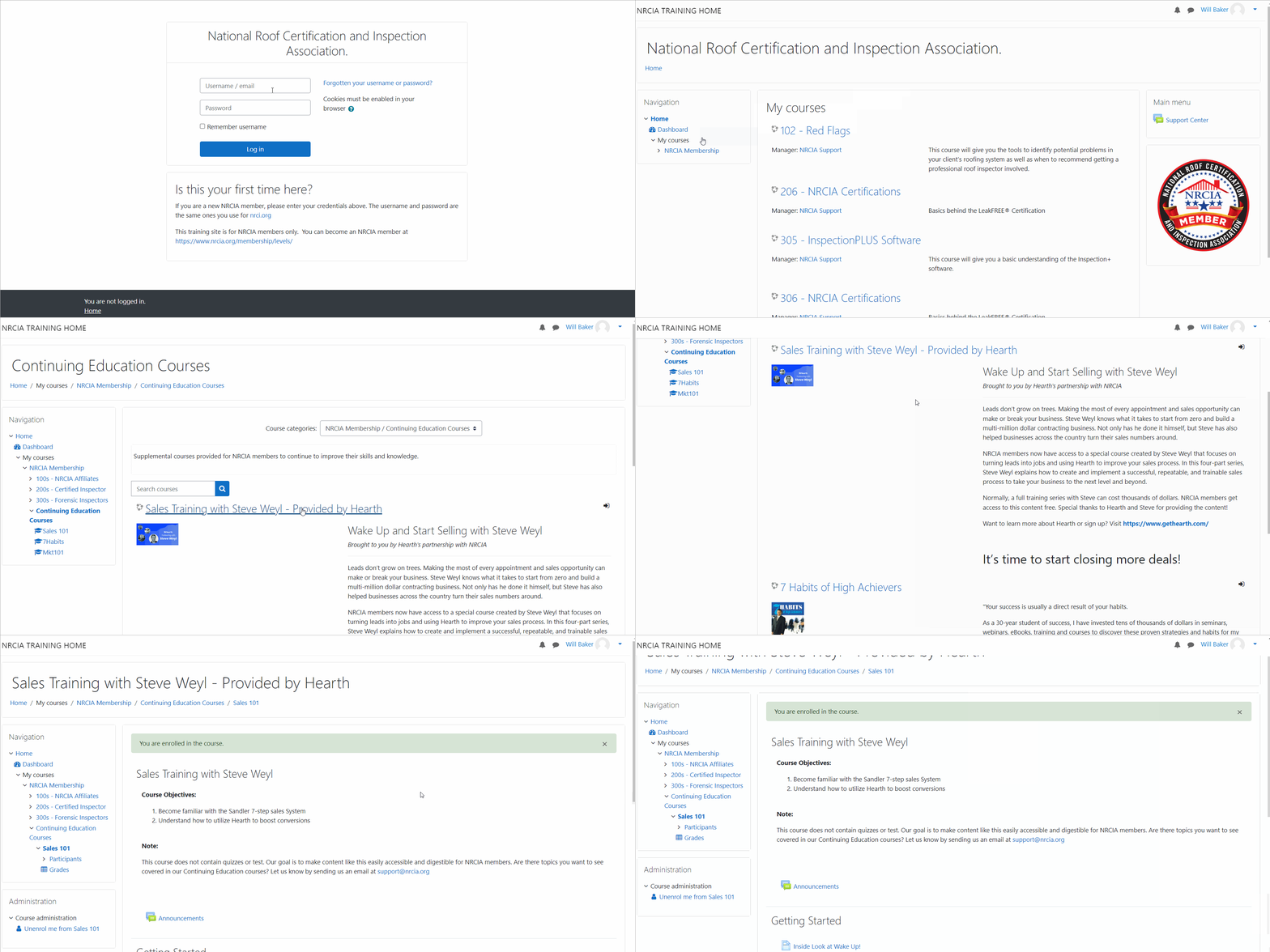
All NRCIA members have unlimited access to the Continuing Education Resources. These resources, courses, and reference materials will be continuously updated to help NRCIA members learn about various topics, tips, and insights.
Visit NRCIA’s Training Homepage
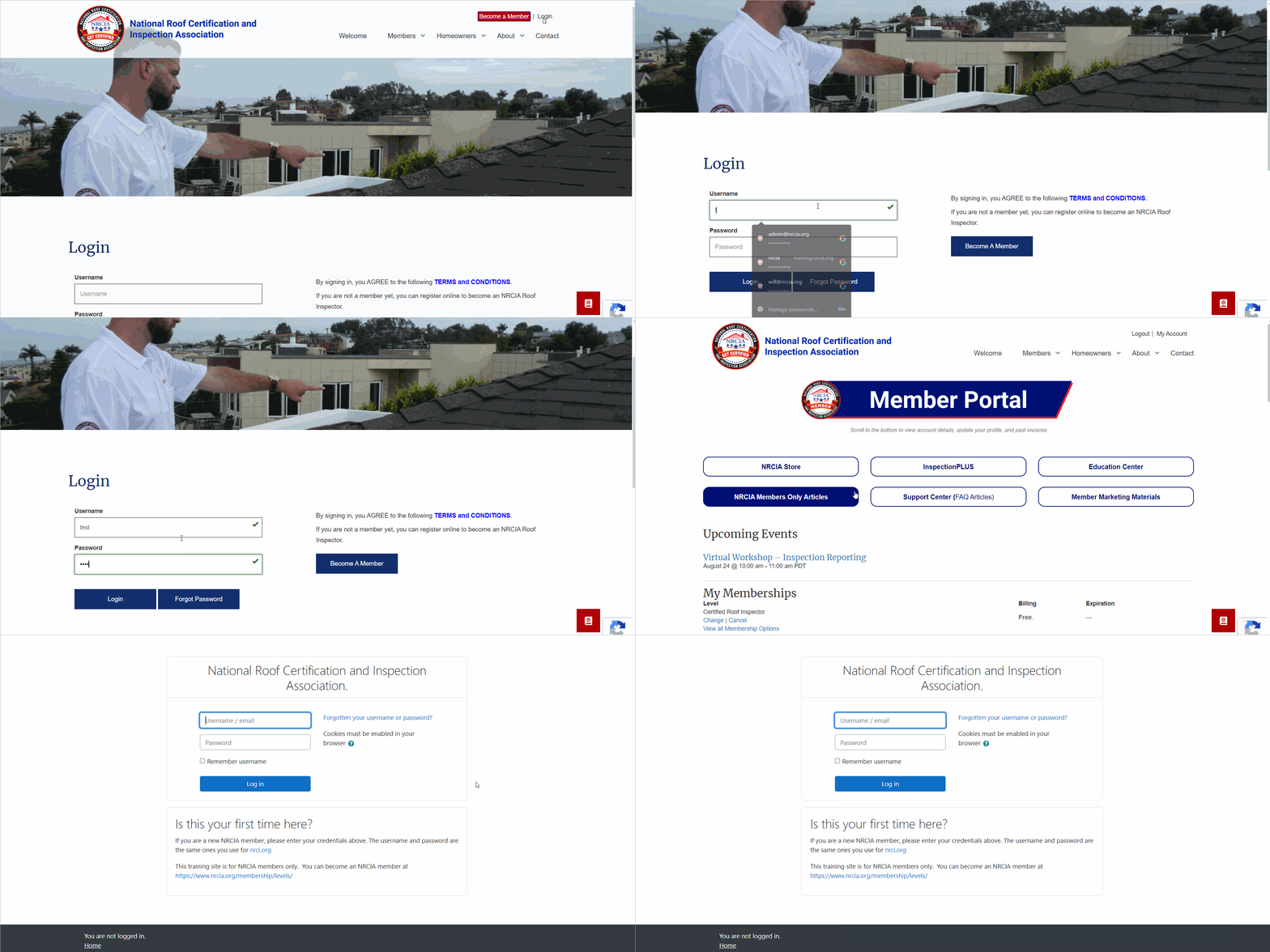
Upon signing up to the NRCIA, you received credentials to access NRCIA’s training program. Both the certification courses and the continuing education courses are housed in this program.
There are two ways to get to the training program.
Type in the URL
To go directly to the training homepage, visit: training.nrcia.org
Visit Your Account Page
Login to your NRCIA account and click “Education Center” on your account page to access the training program.
Locate the Continuing Education Courses
After logging into the training program, go to the menu on the left-hand side and click “NRCIA Membership”
Here you will be able to see all the course levels published by the NRCIA. You only have access to the course level you signed up for and the continuing education courses.
To access the course content, click “Continuing Eduation”. From there, find the course you want to take, click it and then scroll down to the bottom and click enroll to get started.