The average inspection report contains 20 to 30 photos. That does not include the extra photos taken on-site but is not included in reports. That is why it is important to keep your photos organized on your computer.
Need help uploading photos? View our guide
Below are tips to keep your photos organized on your computer. This will make it easier to find and upload them to InspectionPLUS.
Create Clear Folders
Creating folders is an easy way to separate your photos from other files on your computer.
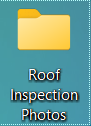
Here is how to create folders on a Mac or PC
Creating Sub-Folders
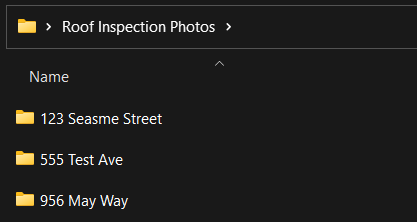
Sub folders further organize your photos. You create sub folders within the main folder and you follow the same process as listed above. There are multiple ways to organize the sub-folders, but here are two common ways.
Organize by Client Name

Organize by Property Address
Rename Photos
Giving your photos and files clear names will make it easier to find the exact photos you need.
Remove Duplicates & Poor Quality Photos
When inspecting a roof it is always better to take as many photos as possible for the report. However, after you upload the photos you may notice some duplicates or photos that didn’t turn out right.
Removes these and any other unnecessary photos to trim your photo count down.
Stay True to Your Process
After deciding how you want to organize your photos, stick to the process. Avoid saving photos on different devices or under different accounts (if you are using cloud storage).