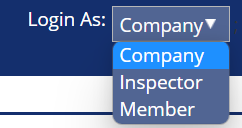
Updating your company information is important. InpsectionPLUS uses your personal information to insert it into your reports. To view, access, and edit company information you need to be logged in as “Company”
Updating your Company’s Information
To access the company’s information, click the admin circle once and then select “Company” in the sub-menu.

To access your company information, click the pencil edit icon on the right hand side of the menu.

In the Company’s Basic Information screen you can add, edit, or view
Logos
Address
Contact Info
Tagline
Updating your Company’s Settings
To update your Company’s settings, click the double arrow icon on the far right-hand side of the menu.

In the Company’s Setting screen you can add, edit, or view
Company members
Documents (flyers, pdfs, pictures) for reports
Company Conditions (save common conditions as templates to make writing observations for reports quicker)
Agreement documentation
Pre-Inspection agreements
Scope of inspection documentation
Insurance Information